
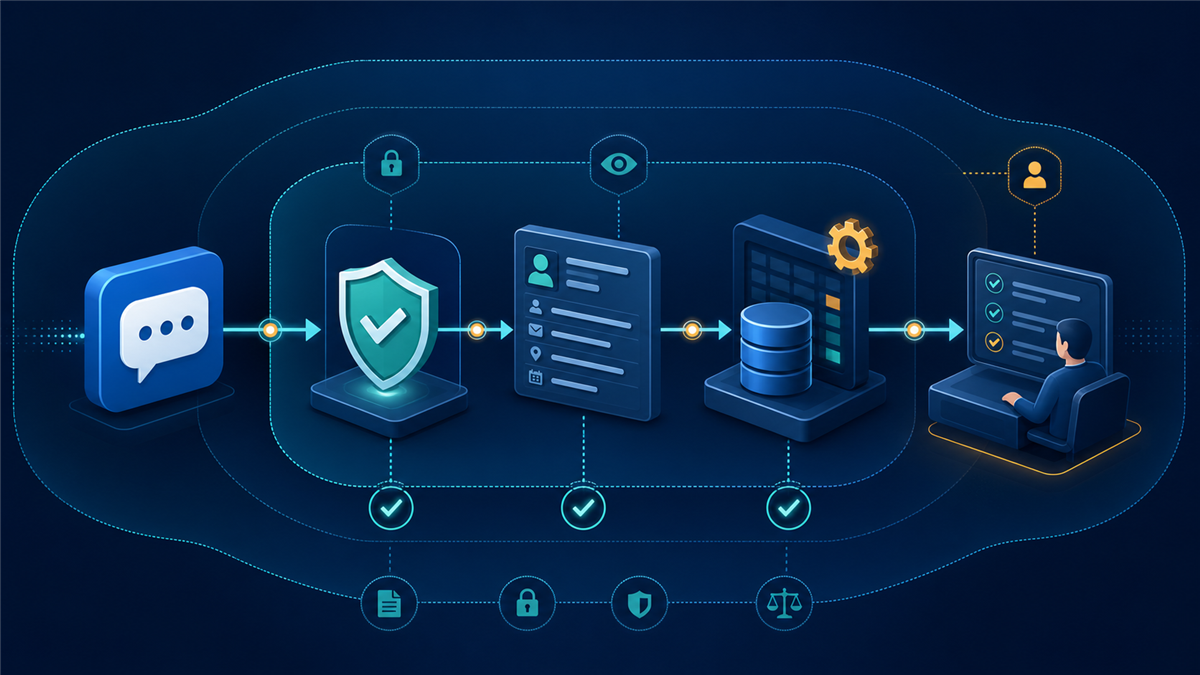
Social messaging automation can shorten response times and keep leads from disappearing in a busy inbox. It can also quietly expand the amount of customer information a business collects, copies, tags, and shares across tools. A useful platform review therefore needs two questions at the same time: can the workflow produce the business result, and can the team explain where the conversation data goes?
The safest selection process starts with the customer action, not the longest feature list. Identify the Page or business account, the message that opens the conversation, the minimum information needed, the person responsible for exceptions, and the point when the data can be deleted. Then compare platforms against that map.
If ManyChat is on the shortlist, this current ManyChat platform review is useful because it separates new and legacy plan models, channel scope, messaging windows, AI controls, and human handoff. Use those product facts as inputs to the privacy review below, not as a substitute for testing the account your team will actually use.
Map the Customer Data Before Comparing Features
Write down every field the workflow expects to see or create. Start with obvious items such as a profile name, channel identifier, message text, email address, phone number, appointment preference, or product interest. Then include operational data: tags, scores, branch choices, notes, staff assignments, timestamps, conversation summaries, and automation logs.
For each field, record why it is needed, who can view it, which system stores it, how long it remains useful, and what happens if it is wrong. This exercise often removes unnecessary questions before the platform is selected. A local service business may need a service area and preferred appointment window, but not a birth date. A product recommendation flow may need category and budget, but not a complete mailing address before the customer decides to buy.
Keep sensitive categories outside the default flow. Payment details, government identifiers, medical information, private account data, passwords, and security codes should not be collected merely because a text field exists. Route exceptional cases to an approved secure process.
Separate Channel Permissions From Automation Permissions
A connected platform cannot grant permissions the underlying social network has not provided. Confirm the business asset, the administrator or task access, the supported trigger, and the permitted message type. A feature available for one Instagram workflow may not be available for a Facebook Page, WhatsApp account, or personal conversation.
Messaging windows also shape the design. If automated follow-up is allowed only during an active period after the customer interacts, the workflow should deliver the promised answer and next step quickly. It should not rely on repeated promotional reminders after that window closes.

Document the difference between an automation platform blocking a restricted message and the business actually having a compliant operating process. Safeguards are valuable, but someone still needs to review broadcasts, understand exceptions, and keep the workflow current when a channel changes its rules.
Compare Total Cost at the Expected Data Volume
A starting price rarely describes the full operating cost. Plan structures may depend on active contacts, channels, workspaces, team members, automation features, or billing cycles. External channel charges can also apply. Forecast current volume, expected volume in three months, and a high-growth campaign month.
Include the labor needed to review replies, update knowledge, investigate failures, maintain integrations, and answer handoffs. A platform that appears inexpensive can become costly when no one owns the workflow. A slightly higher plan can be easier to operate if it provides the capacity and controls the team already needs.
Ask what happens when a contact becomes inactive, when a client needs a separate workspace, or when an employee leaves. The pricing model and the access-control model should be evaluated together. Removing a team member should not break a workflow, and a former contractor should not retain access to customer conversations.
Put AI Behind Sources, Boundaries, and Review
AI can classify intent, summarize a conversation, retrieve an approved answer, or draft a response. It should not be given an open-ended instruction to answer everything. Define the source material, the topics it may handle, and the conditions that require a person.
Low-risk categories might include published business hours, service areas, common product dimensions, appointment preparation, or links to current policies. Higher-risk categories include refunds, account-specific disputes, legal questions, safety incidents, medical claims, pricing exceptions, and emotionally sensitive complaints.
Give the customer an obvious human path. A handoff can be a button, a phrase the system recognizes, or a branch that activates when confidence is low. The team should see the question, the answer already provided, the relevant fields, and the reason for escalation.
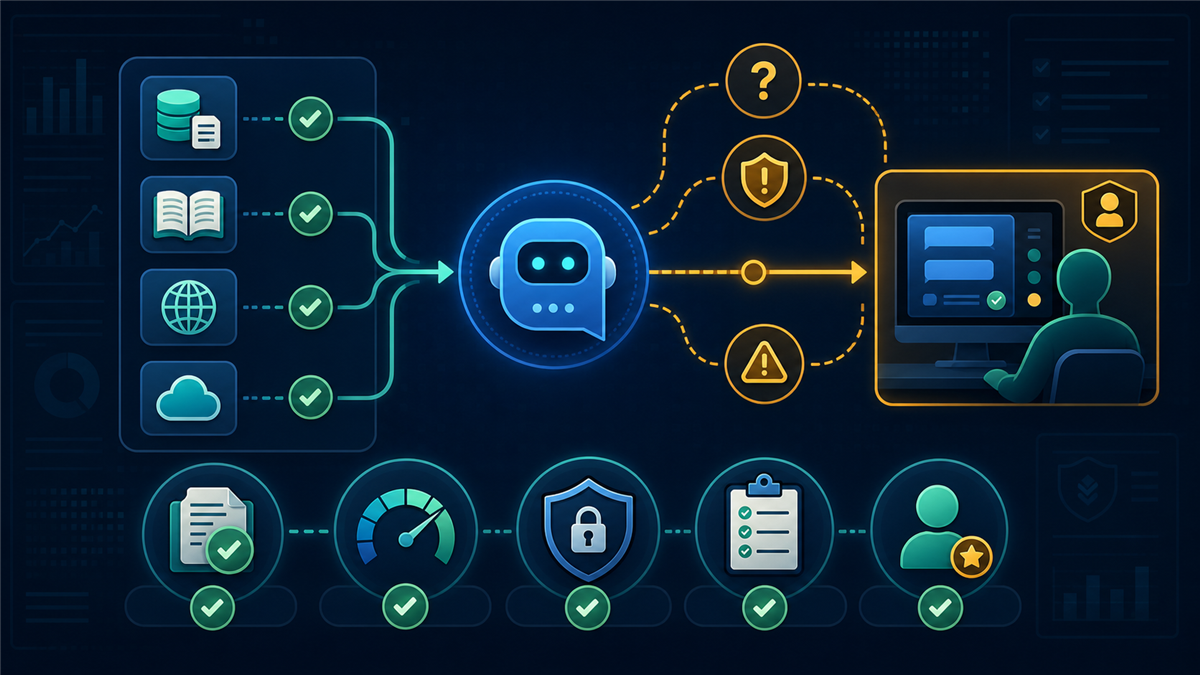
Test the system with incomplete wording, misspellings, conflicting details, angry messages, and requests outside the knowledge base. A polished answer to the happy path is not enough. The failure path is where privacy, customer trust, and staff workload are most exposed.
Run a Controlled Pilot With Deletion and Exit Tests
Use an operator-owned account and a small test Page or business asset. Trigger every branch, confirm each field, inspect the staff view, and remove the test records afterward. Verify that disabling the automation stops it, that a disconnected account no longer receives data, and that an administrator can remove a former team member.
The pilot should include duplicate triggers, an expired messaging window, a broken link, a staff member who is unavailable, a customer who declines to provide contact information, and a request for a person. Record the expected result before running each test.
- Confirm the public disclosure or automation label required for the channel and location.
- Check that data fields use clear names and do not collect more than the workflow needs.
- Verify that the first useful answer appears before extra qualification questions.
- Test the opt-out and human-handoff paths from every major branch.
- Remove test contacts, notes, files, tags, and media after the review.
- Save a dated diagram of the approved workflow and assign an owner.
Watch for Signs the Platform Is the Wrong Fit
Pause the purchase if the business cannot identify a supported trigger, expects the tool to automate personal conversations, or depends on unrestricted outreach. The same applies if the team cannot explain its contact model, does not know who will review exceptions, or plans to copy every message into several systems without a retention purpose.
Another warning sign is a workflow that requires the customer to answer many questions before receiving the promised resource. That creates frustration and more stored data without improving the outcome. Shorten the path until each question changes the next step.
Finally, avoid choosing a tool only because a template looks impressive. Templates are useful starting points, but they can contain irrelevant branches, old links, excessive fields, and follow-up assumptions that do not match the business. Review every block before activation.
A Privacy-Conscious Selection Scorecard
| Area | Question | Evidence to save |
|---|---|---|
| Channel | Is the trigger supported for this business asset? | Account screen and official channel documentation |
| Data | Is every collected field necessary? | Field inventory with purpose and retention |
| Access | Can roles and former users be controlled? | Team-access test and removal record |
| AI | Are sources and escalation topics defined? | Knowledge list and failure-path results |
| Cost | Does the plan fit a successful campaign month? | Three-scenario capacity forecast |
| Exit | Can the workflow be stopped and data removed? | Disable, disconnect, and deletion test |
For more on the documentation side of technology operations, see TechSophist’s guide to designing resilient runbooks. If the workflow is part of a broader system transfer, the technical operations diligence checklist covers ownership, access, dependencies, and continuity.
Frequently Asked Questions
Should a messaging automation collect customer phone numbers?
Only when the phone number is necessary for the requested next step and the customer understands how it will be used. Do not collect it by default simply because the platform supports a phone field.
Does an automation platform replace social-network permissions?
No. The underlying network controls eligible accounts, triggers, messaging windows, content rules, and delivery. Confirm those permissions separately.
What is the safest first AI use in customer messaging?
Start with a narrow, approved knowledge set and a visible review or handoff path. Published hours, service areas, and routine preparation questions are easier to govern than refunds or account-specific disputes.
How often should the workflow be reviewed?
Review it after a channel or plan change, after a material business-policy update, and on a recurring schedule based on message volume and risk. High-volume or sensitive workflows need more frequent checks.
0 Comments